ติดตั้งแอป จับคู่จอด้วยรหัส 6 ตัว แล้วจัดการทุกจอจากเว็บ จอเล่นต่อได้แม้เน็ตหลุด กู้ตัวเองเมื่อค้าง และแจ้งเตือนคุณทันทีเมื่อจอดับInstall the app, pair the screen with a 6-letter code, and manage every screen from the web. Screens keep playing offline, recover on their own and tell you the moment one goes dark.
แอปสำหรับ Android 11 ขึ้นไป · Google Play เร็ว ๆ นี้For Android 11 and later · Coming soon to Google Play
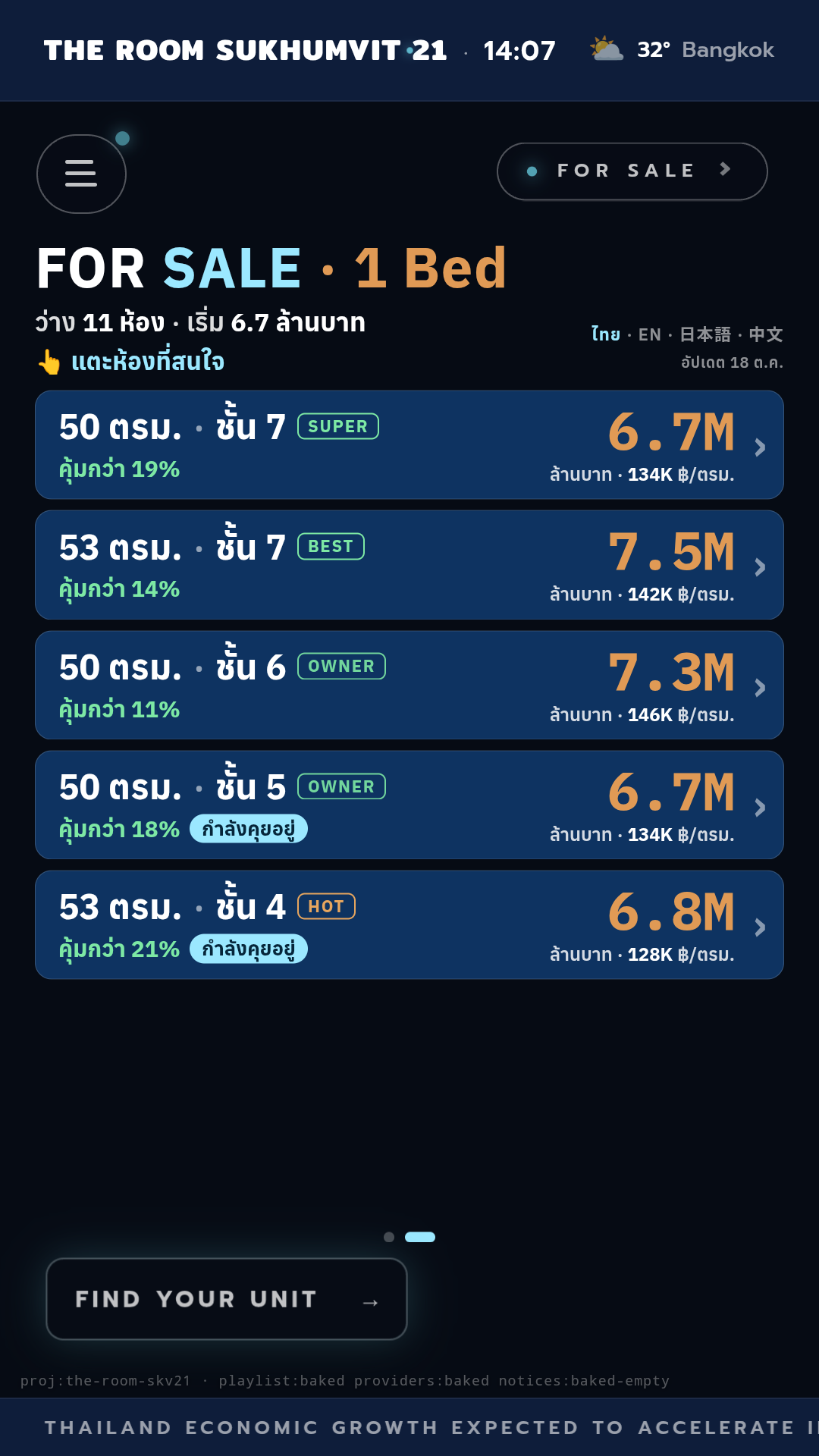
ออกแบบจากการดูแลจอในล็อบบี้คอนโดจริง ที่ต้องเปิดตั้งแต่เช้าจรดค่ำBuilt from running real condo lobby screens that stay on from morning to night.
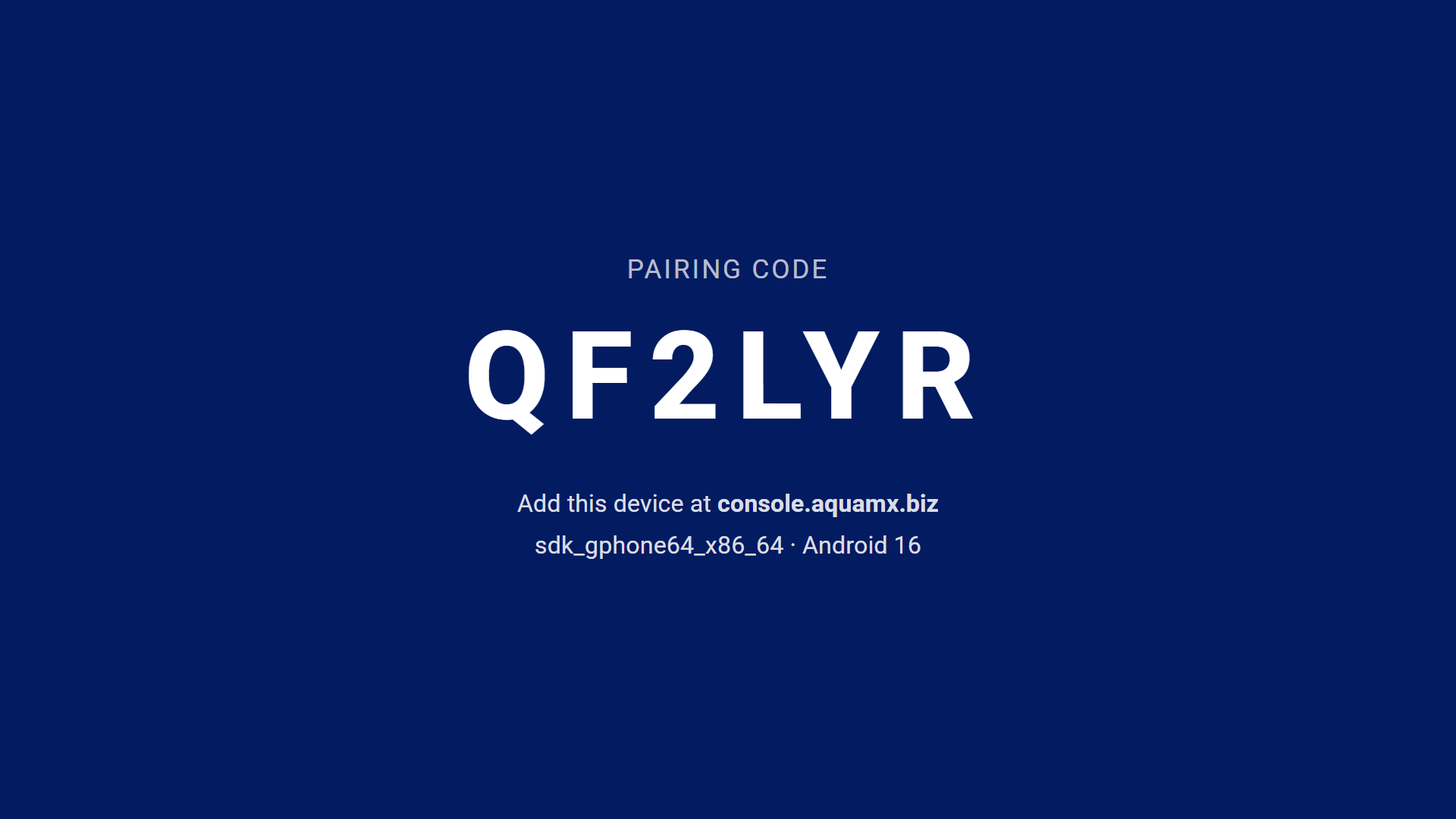
จอแสดงรหัส 6 ตัว พิมพ์ในหน้าจัดการ จอก็ผูกกับบัญชีคุณThe screen shows a 6-letter code; type it in the console and it is yours.
ภาพ วิดีโอ และหน้าเว็บแบบแตะได้ ทั้งจอแนวตั้งและแนวนอนImages, video and touch web content, portrait or landscape.
เก็บไฟล์ไว้ในเครื่อง เน็ตขาดจอก็ไม่ดับMedia is stored on the device, so a dropped connection never blanks the screen.
กำหนดเวลาเปิดและปิดของแต่ละจอ ประหยัดไฟตอนกลางคืนSet on and off hours for each screen and save power overnight.
ถ้าเนื้อหาค้าง แอปโหลดใหม่เอง และกลับมาเองหลังเครื่องรีสตาร์ตA watchdog reloads a frozen player and brings it back after a restart.
โหลดใหม่ รีสตาร์ต ขึ้นข้อความ เปิดหน้าปิดปรับปรุง และดูภาพหน้าจอจริงReload, restart, show a message or maintenance page, and see a live screenshot.
ส่งอีเมลถึงคุณเมื่อจอหยุดรายงานสถานะ และอีกครั้งเมื่อกลับมาAn email when a screen stops reporting, and another when it is back.
ให้จอแสดงเฉพาะเนื้อหา ปลดล็อกที่หน้าจอด้วย PIN ของคุณKeep the player on screen; unlock on site with your PIN.
กล่อง Android TV แท็บเล็ต หรือจอ Android ในตัว ที่เป็น Android 11 ขึ้นไปAn Android TV box, tablet or display running Android 11 or later.
เข้า console.aquamx.biz ด้วยบัญชี Google กด add device แล้วพิมพ์รหัสที่ขึ้นบนจอSign in at console.aquamx.biz with Google, tap "add device" and type the code on the screen.
จอเริ่มเล่นภายในไม่กี่วินาที ตั้งเวลา ดูสถานะ และสั่งงานได้จากหน้าจัดการThe screen starts playing within seconds; schedule it, watch its status and send commands from the console.
เริ่มฟรี 1 จอตลอดไป เพิ่มจอเมื่อพร้อม จ่ายรายปีฟรี 2 เดือนStart free with one screen forever, add screens when you are ready, get 2 months free when paying yearly.
ลองใช้กับจอแรกของคุณTry it on your first screen
ร้านค้าและสำนักงานที่มีไม่กี่จอShops and offices with a few screens
จอโต้ตอบ เก็บลูกค้า และเนื้อหาหลายแบบInteractive screens that capture leads
หลายสาขา หลายทีมMany sites and teams
ต้องการกล่องพร้อมติดตั้งและดูแลให้? เรามีกล่อง AquaMX ที่ตั้งค่าแล้ว พร้อมระบบกู้ตัวเองเต็มรูปแบบ ติดต่อเราWant a box installed and looked after for you? We supply pre-configured AquaMX boxes with full self-recovery. Contact us.
ต่อกับทีวีหรือจอที่มีอยู่แล้วผ่าน HDMIPlug into the TV or monitor you already have over HDMI.
เหมาะกับเคาน์เตอร์ หน้าร้าน และจุดแตะสั่งงานGreat for counters, shop fronts and touch points.
จอแนวตั้งหรือแนวนอนที่มี Android 11 ขึ้นไปในตัวPortrait or landscape displays with Android 11 or later built in.
ไม่ต้อง จอเก็บไฟล์ไว้ในเครื่องและเล่นต่อได้เมื่อเน็ตหลุด แต่ต้องมีเน็ตเพื่อรับเนื้อหาใหม่ คำสั่ง และส่งสถานะNo. Content is stored on the device and keeps playing when the connection drops. It needs internet to receive new content and commands and to report its status.
ตอนนี้ใส่ลิงก์หน้าเว็บที่ต้องการแสดงในหน้าจัดการ หรือให้ทีมเราออกแบบหน้าจอให้ ระบบอัปโหลดรูปวิดีโอและเพลย์ลิสต์เองกำลังจะมาเร็ว ๆ นี้Today you set the web page each screen shows in the console, or our team designs the screen for you. Uploading your own images, video and playlists is coming soon.
ยังไม่ได้ แอปรองรับ Android 11 ขึ้นไปเท่านั้นNot yet. The app supports Android 11 and later.
เมื่อเปิดล็อกหน้าจอ ปุ่ม Home และ Back จะออกจากแอปไม่ได้ ปลดล็อกได้ด้วย PIN ที่หน้าจอหรือสั่งจากหน้าจัดการ ถ้าติดตั้งแบบ device owner จะเป็นการล็อกเต็มรูปแบบWith the kiosk lock on, Home and Back cannot leave the app; unlock with your PIN on site or from the console. A device-owner install gives the strictest lock.
ได้ทุกเมื่อ ติดต่อเราเพื่อหยุดแพ็กเกจ จอแรกยังใช้ฟรีต่อได้Any time — contact us to stop a plan. Your first screen stays free.
ดูที่ aquamx.co.th สำหรับแบรนด์และร้านค้าที่ต้องการลงโฆษณาบนจอในคอนโดSee aquamx.co.th for brands and shops that want to advertise on condo screens.
มีคำถาม ทักเราได้ที่ LINE @aquamx หรือ info@aquamx.co.thQuestions? LINE @aquamx or info@aquamx.co.th
